oMLX: Local AI That Doesn't Keep You Waiting

A macOS-native MLX server with SSD-backed KV caching. On my M1 Pro with 16GB RAM, it runs circles around Ollama and LM Studio.
Ollama and LM Studio cache the KV state in memory. When a coding agent shifts context mid-session — and it will, dozens of times — the entire cache gets invalidated. The second prompt takes 30 to 90 seconds while everything recomputes from scratch. That’s not a speed bump. That’s a workflow breaker.
oMLX fixes this at the architecture level.
What it is
oMLX is a macOS-native server for MLX-format models, built by Junda Ong. The headline feature is paged SSD KV caching: every cache block persists to disk in safetensors format. Hot blocks stay in RAM, cold blocks go to SSD with an LRU policy. When the agent circles back to a prefix it’s seen before, it’s restored in milliseconds — not recomputed.
That means second-turn time-to-first-token drops under 5 seconds, even on long contexts.
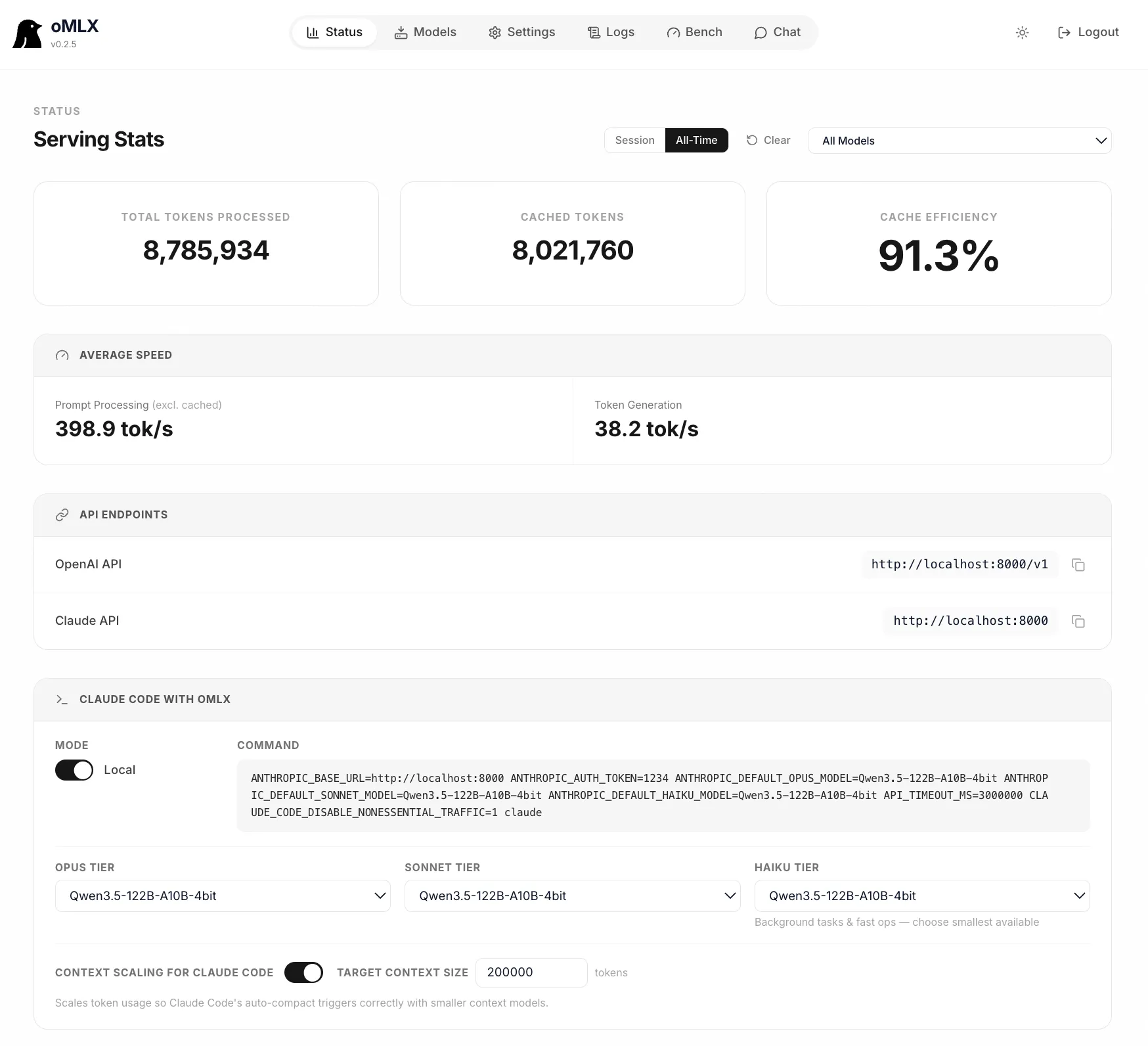
It ships as a native menu bar app — signed, notarized, with in-app auto-update. Not Electron. There’s a web dashboard for model management and real-time metrics. It reuses your existing LM Studio model directory, so no re-downloading anything.
It handles concurrent requests through mlx-lm’s BatchGenerator with up to 4.14× generation speedup at 8× concurrency, serves multiple model types simultaneously (LLM, VLM, embedding, reranker), and speaks both OpenAI and Anthropic APIs. Claude Code, OpenClaw, and Cursor work as drop-in backends.
On my M1 Pro with 16GB RAM
I’ve been testing it against Ollama on this machine. The difference on long agent sessions is immediate.
Smaller models — Qwen 3.5 at 4-bit quantization — run at comparable throughput, but the cache persistence changes the rhythm of a Claude Code session. Instead of waiting 45 seconds every time the agent backtracks to a previous file, responses land in under 5 seconds. On an M1 Pro with 16GB, that’s the difference between usable and frustrating.
The setup took about two minutes. I pointed it at my existing Ollama model directory and started serving. The dashboard generated the Claude Code config command for me. No middleware, no proxy, no env var juggling.
The catch
macOS 15+ is a hard requirement — no Ventura or Sonoma support. The project is young, the community is smaller than Ollama’s, and the docs are a single README. If you hit an edge case, you’re likely the first person reporting it.
That said, it’s been stable in my testing. The architecture is the right bet.
If you run local models on a Mac and spend any time waiting for the second prompt, give oMLX fifteen minutes of your time. It’s the first local inference server that made me stop reaching for the hosted API.
Resources:
- oMLX website: https://omlx.ai
- GitHub repo: https://github.com/jundot/omlx
- Releases: https://github.com/jundot/omlx/releases
Be awesome.
Keep building magic. ✊
Petar 🥃